

Fresh Roots is a Vancouver-based non-profit dedicated healthy food, ecosystems, and communities. For their Impact Report, the organization sought to present their annual activities and statistics in a way that was true to the Fresh Roots brand, featuring a unique and creative illustrated spread.
Role: Graphic designer, illustrator
Deliverables: Illustrated spread, infographics, digital and print-ready booklet
Tools: Adobe InDesign, Adobe Illustrator, Adobe Photoshop, Microsoft Excel, Google Suite
Planning
I held a consultation with Sarah, Fresh Roots’ Community Engagement Manager, to discuss the expectations of the project. She shared with me the brand guideline, and a few sketches of her ideas.


From the onset, we knew there would be some logistical challenges: the Director, Marc, could not be actively consulted in the design process due to time constraints and his many other responsibilities, yet we obviously needed to make sure the report aligned with his vision. To make sure I was on the right track throughout my process, I proposed that he compile some examples of illustration styles and publications he liked, which I used to create a moodboard for the project.


Given these examples, I decided to hand-draw the illustrations. In our email correspondence, I also determined a few essential style elements Marc admired:
- Bright and Vibrant
- People-centric
- Sophisticated – either artful details or clean simplicity
- Light but not cutesy
Process
Document Layout
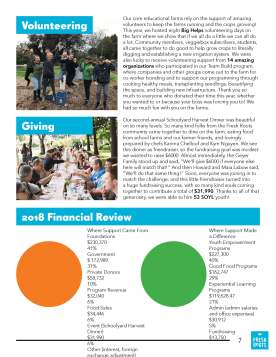
The structure and layout of the report went through many iterations. Initially, the report was intended to be 8 pages (2 11×17 sheets). However, once the body copy had been completed, I urged them to add another sheet, and up the page count to 12. While the entirety of the text could fit in the page restrictions, it made the document look extremely text-heavy, and didn’t leave any room for the fun details that would encapsulate the Fresh Roots brand.
For the main, “project feature” style pages, I went through a few rounds of design. These edits were made to create a focal point on the page, and a to draw the path of the eye in a logical manner.


Illustrations
In creating the illustrated spread, I began by creating all of the assets individually by hand, using pen and paper. These original images were scanned and digitized using the Adobe Illustrator “trace” function, as well as some additional smoothing and adjusting in Illustrator where necessary. They were then coloured in Adobe Photoshop.
Once I had all of these assets, I used Photoshop again to combine all of the illustrations into the full scene, and digitally paint in the backgrounds.


Improvements
While rewarding and enjoyable to do, the illustrations ended up being a very lengthy process. I think in the future, it would be a great benefit to draw directly in a digital format (i.e. with a tablet and stylus), if the equipment were available to me.
Click here for a downloadable version of the report.
 ALYSSA QUAN
Leave a comment